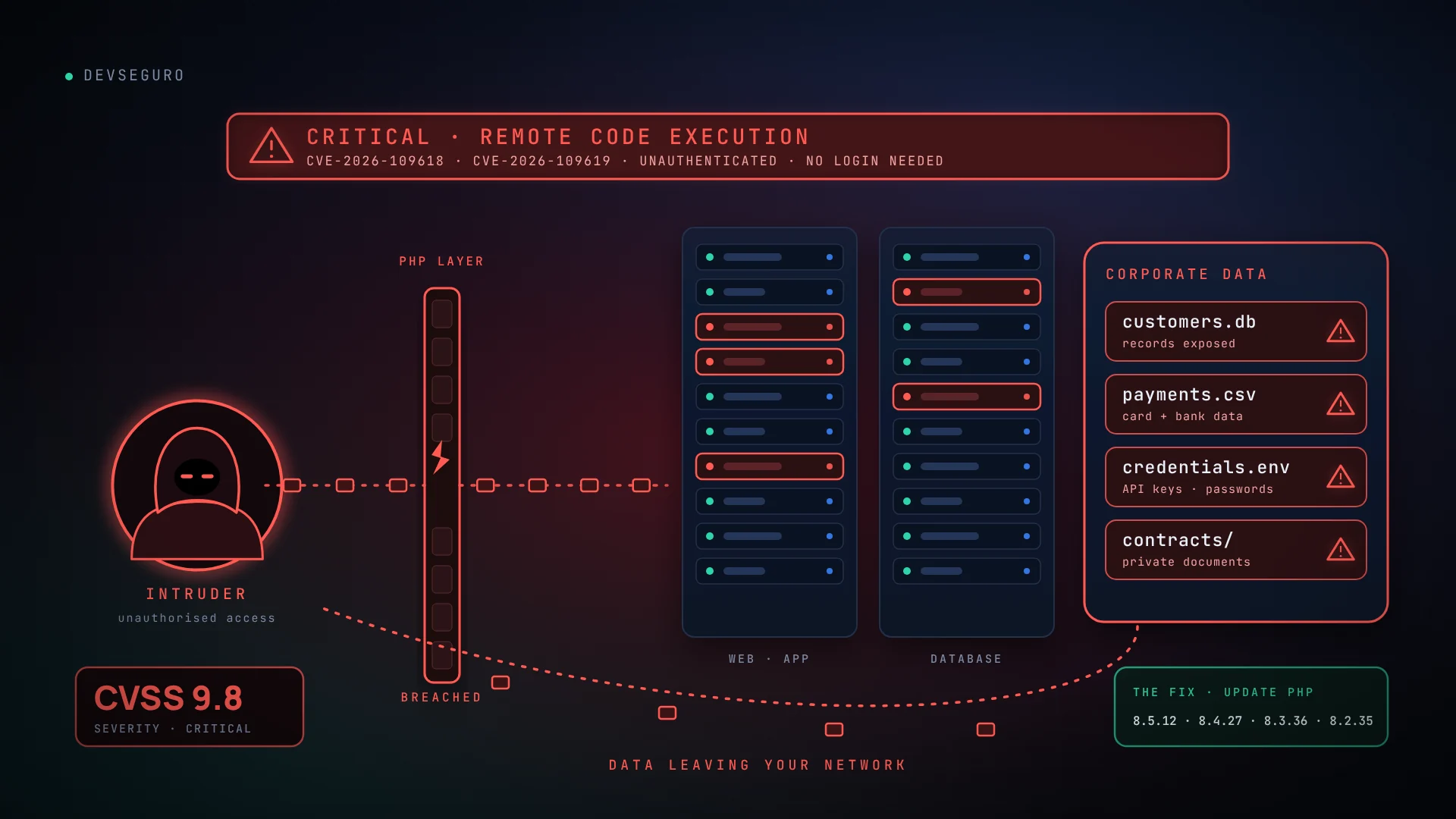
On October 21, 2026, the PHP project released emergency updates for two critical vulnerabilities that can allow unauthenticated remote code execution. In PHP’s own words: “All PHP users are strongly encouraged to update immediately.”
If your website runs on PHP, this affects you. That includes WordPress, Drupal, Joomla, Laravel and most custom-built sites. A plain HTML website with no PHP is not affected, though the server it sits on might still run PHP for something else.
This is a fast-moving story, so details may change. This article reflects what was published by October 23, 2026.
What was fixed
PHP published two vulnerabilities, both rated critical (CVSS v4.0 score 9.2 by PHP; the US National Vulnerability Database scored them 9.8 under CVSS v3.1):
- CVE-2026-109618, “RCE via OOM corruption.” When PHP runs out of memory part-way through a request, request data can be left partly set up, and the cleanup step may treat that invalid data as valid.
- CVE-2026-109619, “RCE via stale global state.” Data belonging to one request can survive after its memory has been freed, and a later request handled by the same worker may then use it. PHP also lists memory disclosure as a confirmed impact.
Neither needs a login or any action from a visitor. The weakness is in PHP itself, not in your application code, which is why updating a plugin or theme does not fix it.
Which versions are fixed
| PHP branch | Fixed in |
|---|---|
| PHP 8.5 | 8.5.12 |
| PHP 8.4 | 8.4.27 |
| PHP 8.3 | 8.3.36 |
| PHP 8.2 | 8.2.35 (reaches end of life on December 31, 2026) |
| PHP 8.1 and older | No official release. These versions are unsupported and should be upgraded. |
Some researchers say affected releases go back much further than PHP’s supported branches. PHP has not confirmed that, but if you run an unsupported version, assume you are exposed and plan an upgrade.
Who is exposed
Any server using PHP to answer web requests. That covers Apache with mod_php, PHP-FPM, php-cgi, LiteSpeed and similar setups. PHP rates mod_php as the highest risk. For PHP-FPM, PHP says a complete exploit has not been demonstrated for CVE-2026-109618, but that is not a reason to wait.
Is it being exploited?
Reports conflict, and that is itself a reason to act. PHP’s security team said it had identified no functional exploits at release, and the US cyber agency CISA said it had not observed exploitation when it published its alert. Several security companies have since reported attack attempts or exploitation activity, the earliest dated October 17, and early proof-of-concept code has begun to circulate. Treat this as urgent.
How attackers could misuse it
Remote code execution means an attacker can run their own commands on your server through your website. Depending on the setup, that can lead to:
- Full takeover of the website: changing pages, adding hidden admin accounts or planting backdoors for later.
- Data theft: customer records, form submissions, and credentials or API keys held in memory or configuration files.
- Malware and spam: redirecting visitors, injecting spam pages that damage search rankings, or serving malicious downloads.
- Attacks on others: using your server to send phishing email, host scams or take part in attacks.
- Spreading sideways: reaching other sites or services on the same server or account.
We can check your PHP version, hosting setup and exposure, and tell you plainly what to fix first.
Request a Security CheckWhat to do right now
- Find your PHP version. On shared hosting, check the control panel. In WordPress, open Tools, then Site Health, then Info, then Server. On a server you manage, run
php -v. Do not leave aphpinfo()page on a live site. - Update PHP. Move to a fixed version through your host, or through your operating system’s package manager. Updating WordPress, a plugin or your application does not update PHP.
- Restart the services. Restart Apache, PHP-FPM and any long-running PHP workers so the new version is actually running.
- Check for compromise. Look back to October 17: unexpected new or changed files, new admin users, strange scheduled tasks, unusual outbound traffic, or PHP processes starting shells.
- Rotate secrets if in doubt. Because memory disclosure is possible, change database passwords, API keys and admin credentials if you suspect exposure.
- Keep a clean backup stored away from the server, so you can recover if the worst happens.
If you cannot update immediately
PHP says there are no complete mitigations and that updating is the only safe choice. Its advisory lists interim settings, such as turning off session upload progress, and request-size limits at the web server can help. These reduce exposure but do not make a server safe. A web application firewall may add some protection. Government cyber agencies have advised taking a system offline if it cannot be patched or mitigated promptly.
Reduce the damage from the next one
There will be another critical PHP or CMS vulnerability. These habits limit the damage when it arrives:
- Stay on a supported PHP branch and plan upgrades before end of life, not after.
- Know what you run. Keep a simple inventory of sites, PHP versions and plugins.
- Apply security updates quickly, with automatic updates where they are safe to use.
- Use least privilege. Run each site under its own account with only the file permissions it needs.
- Add layers. A web application firewall, security headers and monitoring for unexpected file changes all help.
- Test your backups, as covered in our website security checklist.
This is a quick review, not a vulnerability scan. Ticking an item does not verify that your server is actually patched.
Need a hand?
Patching PHP is the easy part. Knowing whether anything happened before you patched, and what else on your site is exposed, takes a closer look. DevSeguro offers a Security Check and full security assessments for websites and web applications, and maintenance plans that keep updates, backups and monitoring on schedule. Contact us and we will tell you what we would fix first.
Sources
- PHP security advisory and release announcements, October 21, 2026
- GitHub advisory for CVE-2026-109618
- GitHub advisory for CVE-2026-109619