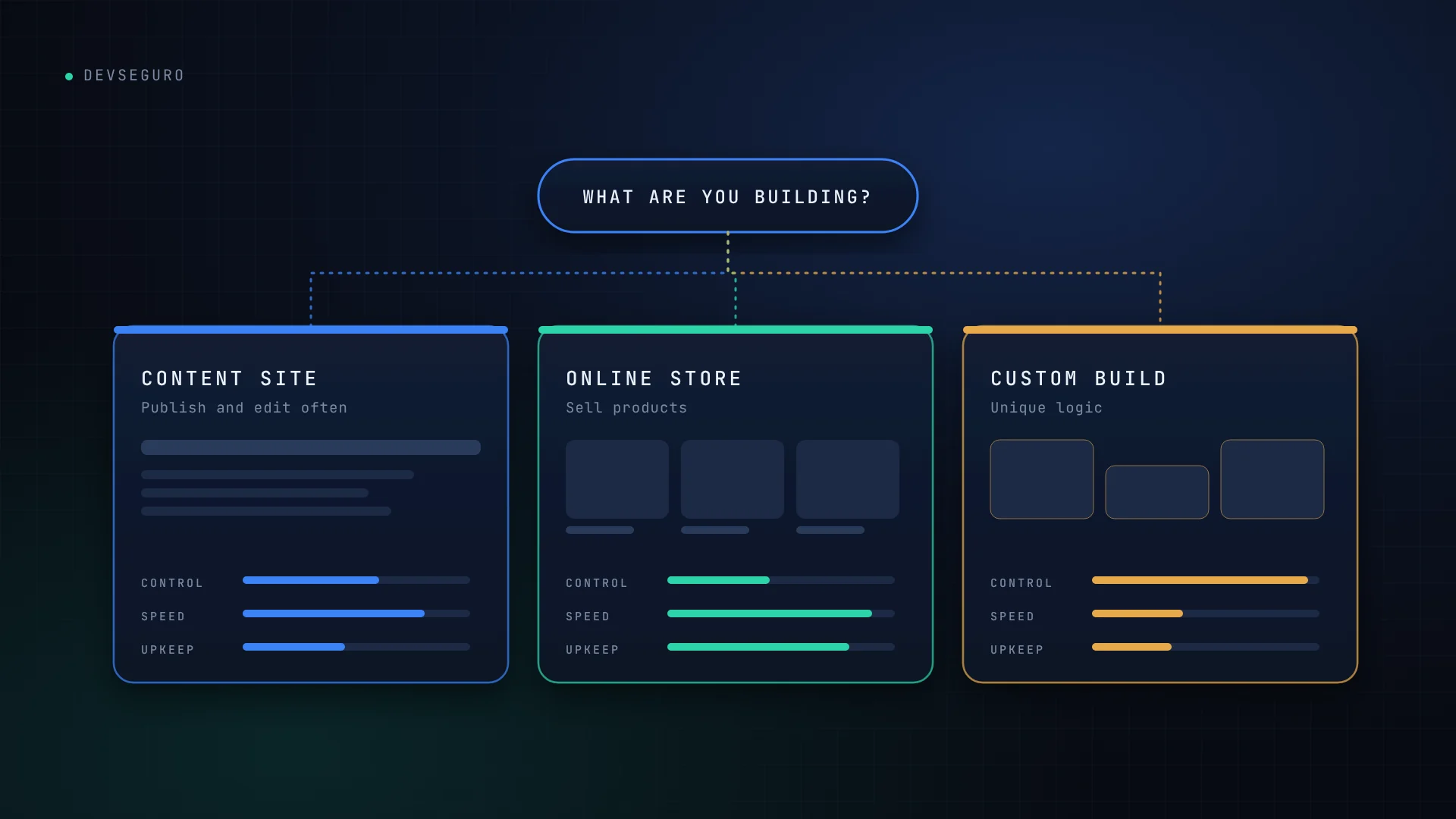
There is no single best platform. The right choice depends on what the website has to do, who will update it, how unusual the requirements are, and what you can realistically maintain after launch.
This article gives you a practical way to decide between WordPress, Shopify and custom code, without assuming that custom is always better or that a template is always enough.
Start with five questions
Before comparing platforms, answer these. They usually point to the right option on their own.
- What must the site do? Publish content, sell products, or run a process that is specific to your business?
- Who will update it day to day? A non-technical team member, or a developer?
- How unusual are your requirements? Standard pages and a checkout, or custom pricing rules, user roles and integrations?
- What can you spend on upkeep? Platforms differ in how much time and money they ask for after launch.
- What data will it handle? A contact form is a different risk level from customer accounts and payments.
WordPress: strongest for content-led sites
WordPress suits blogs, service businesses and marketing sites where people publish and edit pages regularly. It is flexible, has a very large ecosystem of themes and plugins, and the content is yours to host wherever you choose.
Watch for
- Core software, themes and plugins all need regular updates.
- Every plugin adds code you depend on, and quality varies between plugins.
- Hosting, backups and security are your responsibility, or your developer’s.
Shopify: strongest when selling is the core job
Shopify is a hosted platform built for online stores. Hosting and platform updates are handled for you, and checkout, inventory, orders and discounts are included. That makes it one of the quickest routes to a working store.
Watch for
- A monthly subscription, plus the cost of any paid apps you add.
- Less control over checkout behaviour and back-end logic than a custom build.
- Transaction fees can apply depending on how you take payments, so check the current terms for your plan.
- Blog and content features are simpler than WordPress.
Custom code: strongest for unusual products and workflows
A custom build makes sense when the thing you are making does not fit a platform: customer accounts with different permissions, complex pricing, specific integrations, or a product that is the software itself. You get exactly what you need and nothing you do not.
Watch for
- Higher initial cost and a longer timeline.
- You depend on good documentation and a clean handover.
- Security is not provided by default. Authentication, access control and data handling have to be designed in and tested.
Side by side
| WordPress | Shopify | Custom code | |
|---|---|---|---|
| Best for | Content sites, service businesses | Online stores | Unique products and workflows |
| Time to launch | Fast | Fastest for a standard store | Longest |
| Flexibility | High, through plugins | Moderate, limited at checkout | Highest |
| Ongoing upkeep | Regular updates to core, themes and plugins | Lower; you manage apps and accounts | Depends on how it is built and maintained |
| Who carries security | You and your developer | Shared: the platform, and you for accounts and apps | You, by design |
Security changes with the platform, but it never disappears
Choosing a platform changes who is responsible for security. It never removes the need for it.
- WordPress: keep everything updated, remove unused plugins, use multi-factor authentication for administrators, and test your backups.
- Shopify: protect staff accounts with multi-factor authentication and review the permissions of every installed app.
- Custom: build security in from the start and have the application reviewed before launch. Our article on AI-built websites covers the most common gaps.
For a wider checklist, see seven website security risks every business should check.
A simple way to decide
- If you mainly sell products and your needs are fairly standard, start with a store platform such as Shopify.
- If you mainly publish content or promote a service, WordPress or another CMS is usually the practical choice.
- If you need accounts, workflows or integrations that a platform cannot handle cleanly, that is when custom code earns its cost.
- If you are unsure, start with the simplest option that meets today’s needs, and plan for how you would move later.
Hybrid setups are common too, such as a WordPress site for content alongside a store on a hosted platform.
Choosing without a sales pitch
The best platform is the one that fits your project and that you can keep secure. If you would like a recommendation based on your own situation, contact DevSeguro or try the AI Advisor. You can also see what our website packages include.